
What it is
Robots do not stop at the first floor — and they should not have to. With an Elevator Integration, your robots operate across multiple floors: FieldBots and its service partner KONE make your building's elevators smart, and you manage the elevator right in FieldBots.
Who uses it
Cleaning companies whose robots should work on more than one floor; fleet managers who want their building's elevators ready for robots.
Steps
Add your elevator
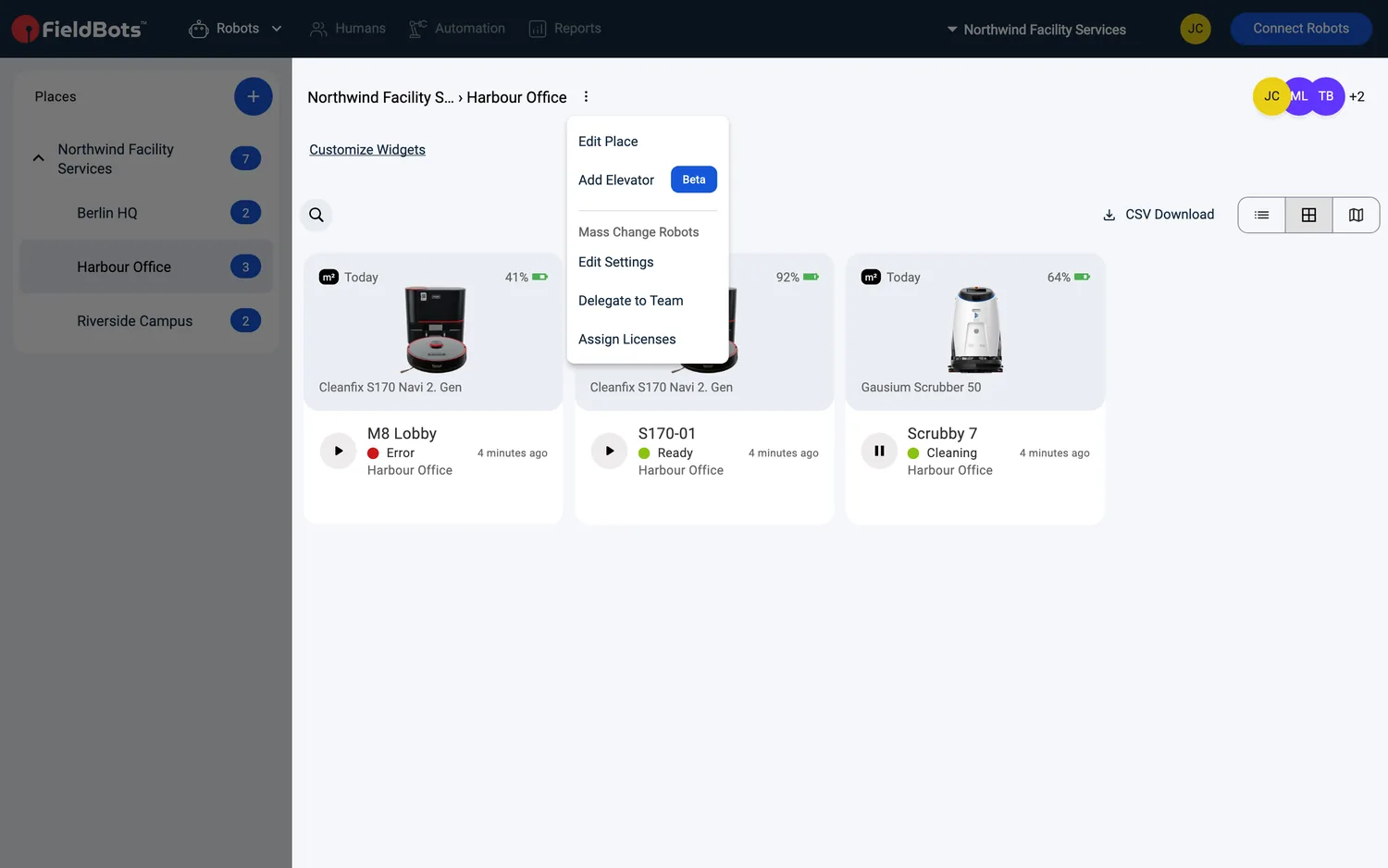
- Open "Robots" and open the menu on the place name at the top of the list.
- Choose "Add Elevator (Beta)".
- The "Add Elevator" page opens with "Add Your Elevator and Make It Smart" — "FieldBots and its service partner KONE make your elevators smart so your robots can operate across multiple floors and deliver their full potential."
- Fill in the elevator: use "Upload Image" for a photo, enter the "Serial Number", and select the manufacturer — the list shows robot-ready elevators; if yours is not listed, type its name instead. Then pick the "Service Partner".
- Teams in Germany, Austria and Switzerland can switch on "Request to Upgrade Elevator for Robot Use" right in this form.
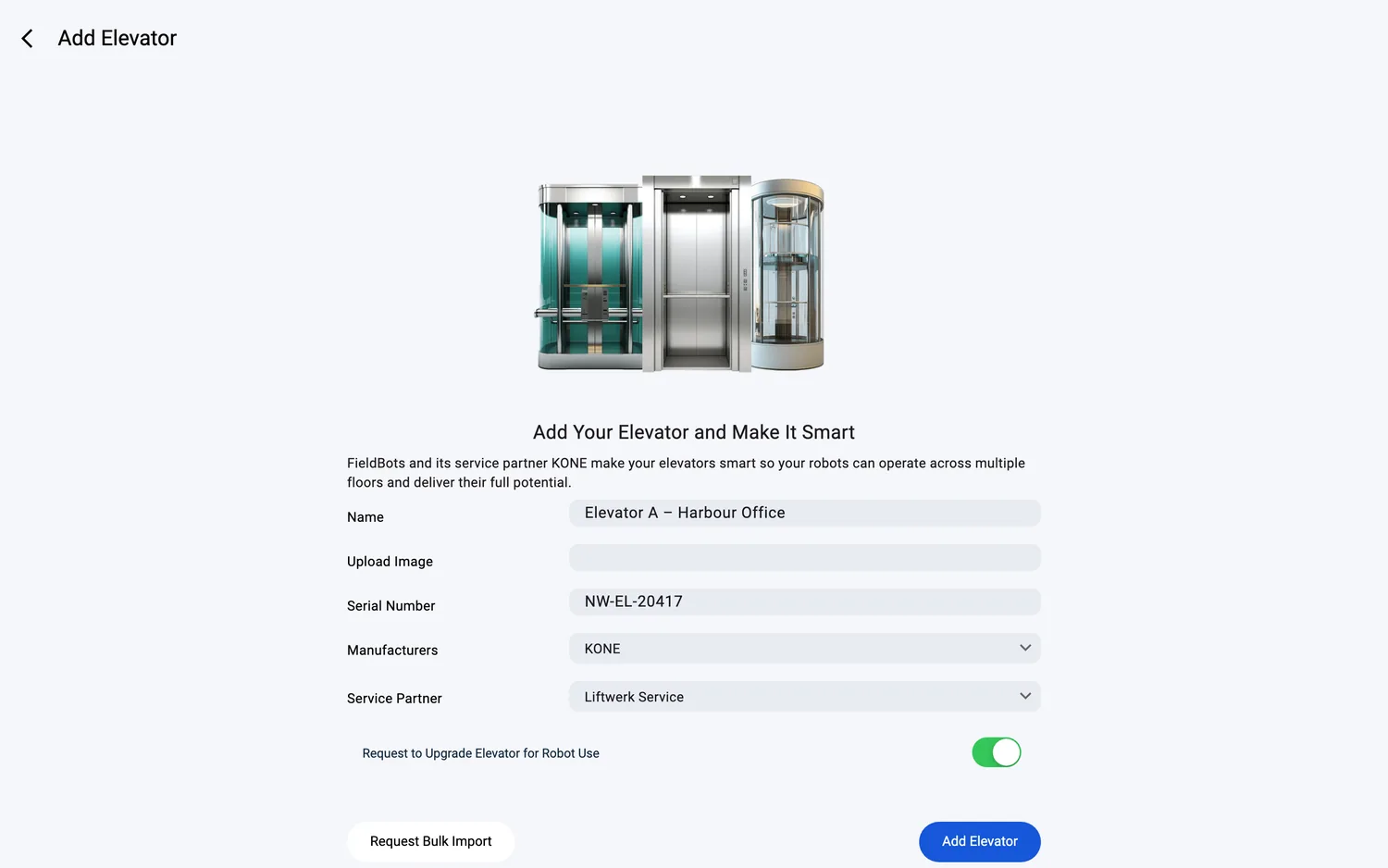
- Press "Add Elevator". The elevator joins your fleet as its own device. If you switched on the upgrade request, the elevator requirements form opens — fill it in and the request reaches the FieldBots team.
Request an upgrade for an elevator you already added
- Open the elevator's page — it appears in your fleet as its own device.
- Teams in Germany, Austria and Switzerland see the "Important Notice": "Together with FieldBots and KONE, you can make any elevator - regardless of manufacturer - robotics-ready."
- Below it: "Fill out our requirements form and we'll support you quickly - whether it's a smart elevator or a conventional one. Just click the button and complete the form. It takes less than two minutes." Press "Request to Upgrade Elevator for Robot Use" — the requirements form opens.
Web / Mobile: the same pages on web and in the app; on phones the notice card stacks vertically instead of sitting side by side.
Supported robot models
Not robot-specific. Elevators are managed in FieldBots as their own devices, and FieldBots works as manufacturer-independent middleware between your robots and the elevator. Together with our service partner KONE, any elevator can be made robotics-ready — regardless of manufacturer.
Notes and limits
- The menu entry carries the "(Beta)" label.
- An elevator has no online status: it shows no colored status dot, and its page offers "Show Technical Data" instead of robot commands — team members with write access see the button; read-only members see no command button.
- While you create an elevator, no place is selected yet — assign it to a place afterwards.
- The elevator is a device, not a robot: it does not occupy a robot license.
- Adding elevators requires write access in your team and a paid team plan; on a Free team, the places area shows an upgrade hint instead.
- The upgrade request and the "Important Notice" are available for teams in Germany, Austria and Switzerland.